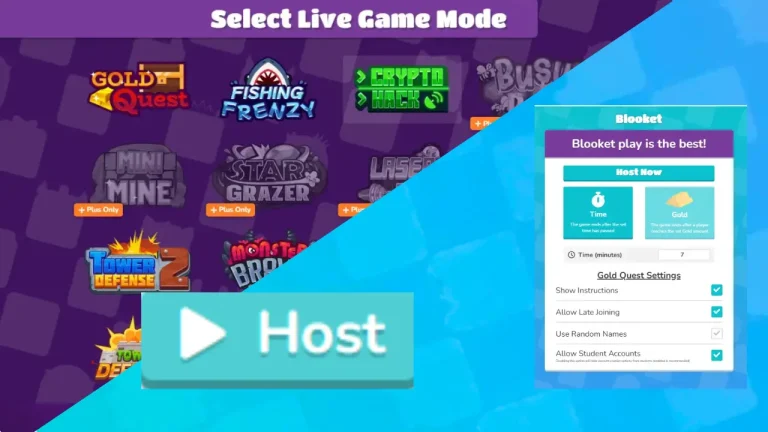
Blooket Sign Up | How to Create a Blooket Account
Blooket is an interactive, gamified learning platform that offers a range of features. To access these features, users must complete the Blooket Sign Up process. Creating an account allows you to join and play fun games, quizzes, and question sets, track performance, and use the dashboard options.
Whether you’re a student or a teacher, want your classroom to study while playing games, signing up on blooket is a must to start the education in a modern way and unlock all learning tools. It helps transform boring lectures into engaging quizzes with live sessions or independent gameplay.
How to Sign Up on Blooket (Step-by-Step)
Blooket made it easy to sign up in a few minutes, following some easy steps. After visiting Blooket, you have two different roles to choose from: whether you want to study as a student or as a teacher, host quizzes, or use learning tools for teaching.
We will guide you step by step on how to sign up on Blooket. Follow the steps below to begin creating your Blooket account.
Step 1: Visit the Official Website
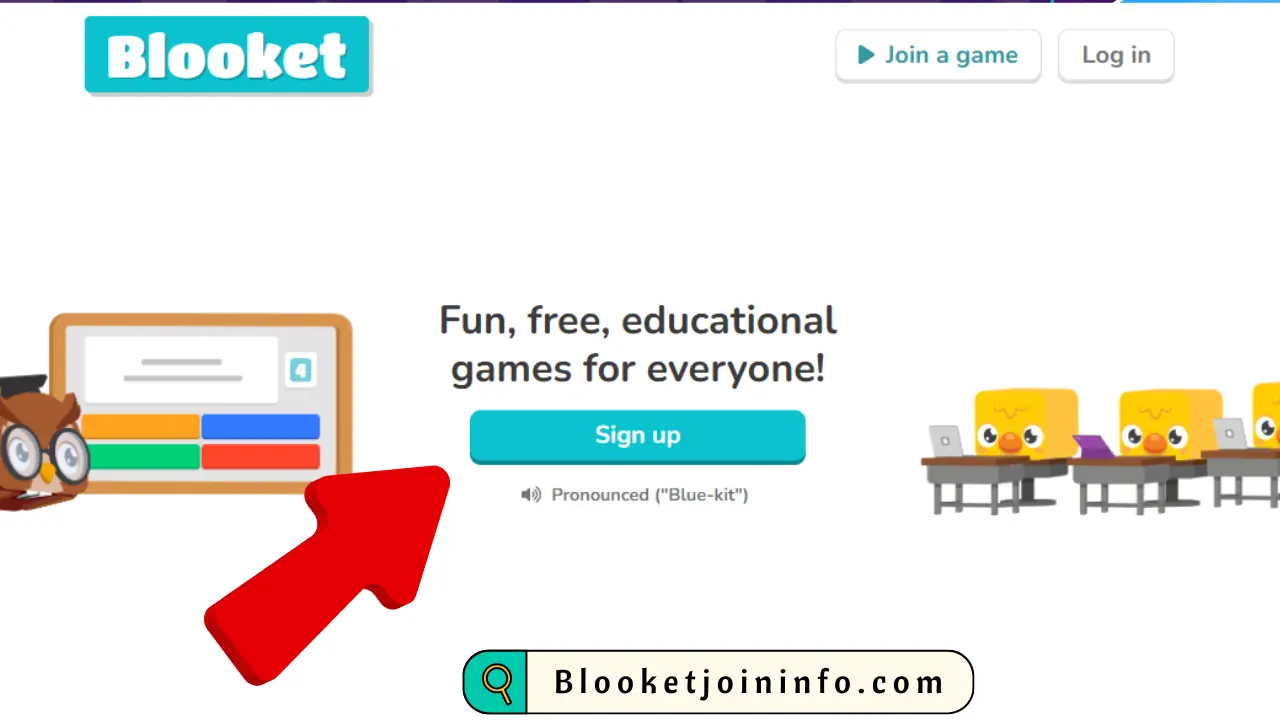
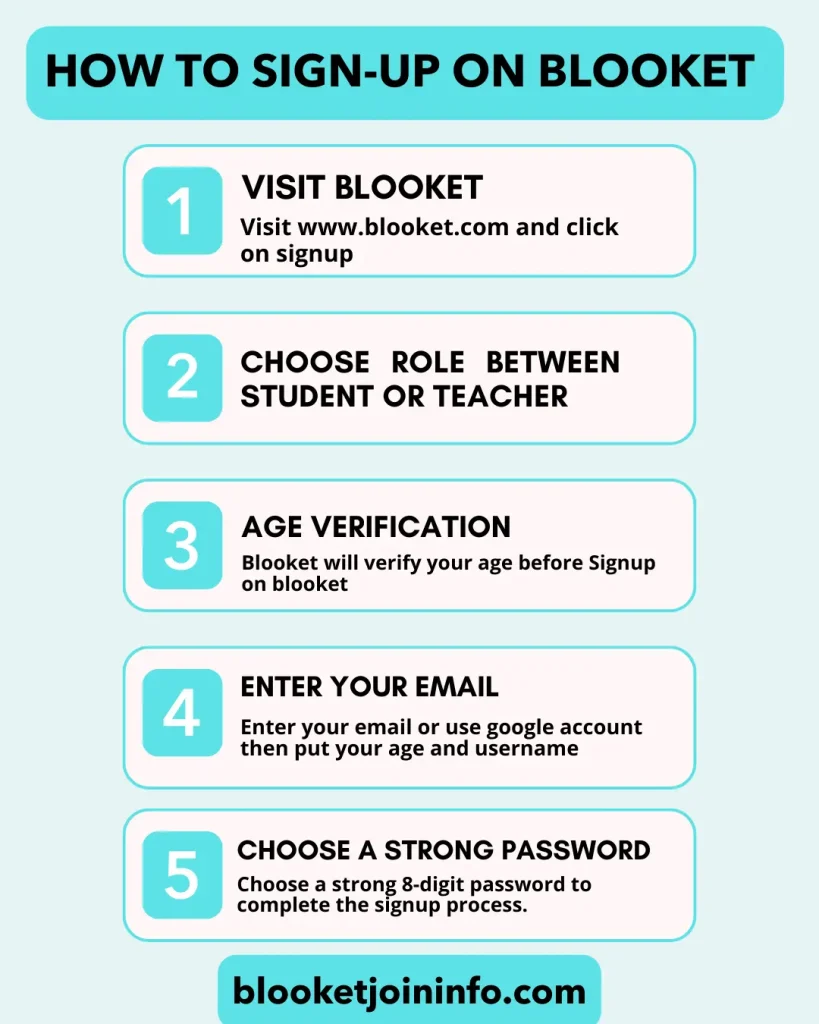
Open your browser and go to www.Blooket.com. You will see the Blooket Sign up Button right in the middle of the page, just click on it.
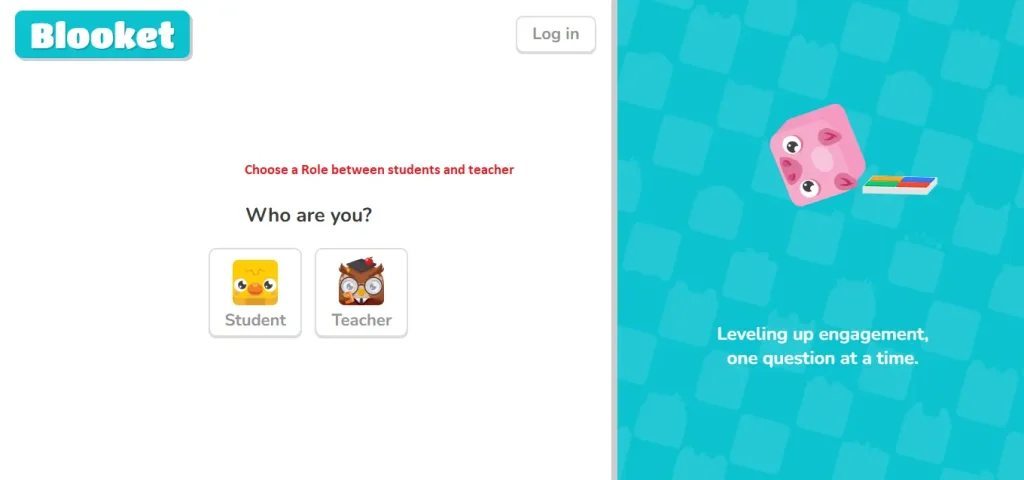
Step 2: Choose Your Role (Teacher or Student)
Blooket will show you to option wether you want to choose a teacher account to host sessions or want a student account to play learning games. You need to choose wisely because you will only see options according to your account type.
Step 3: Age Verification
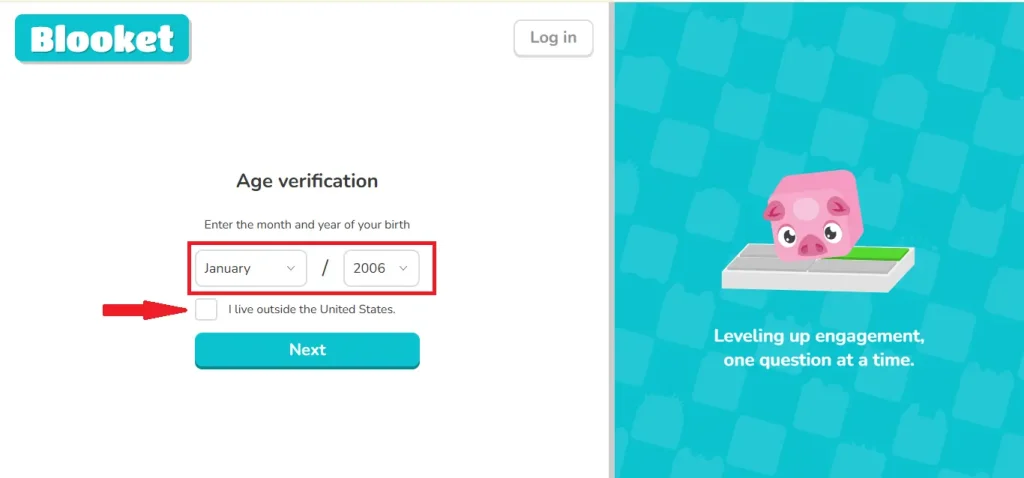
Blooket will ask you about your age. They need to verify weather your a legit person to participate with blooket. Your age must be 16 to use Blooket. Then there will option to tick or untick whether you live in or outside the United States.
Step 4: Choose an authentication Method
Blooket offers two methods to authenticate your Blooket account. One is signing up with your Email and password or using your Google account.
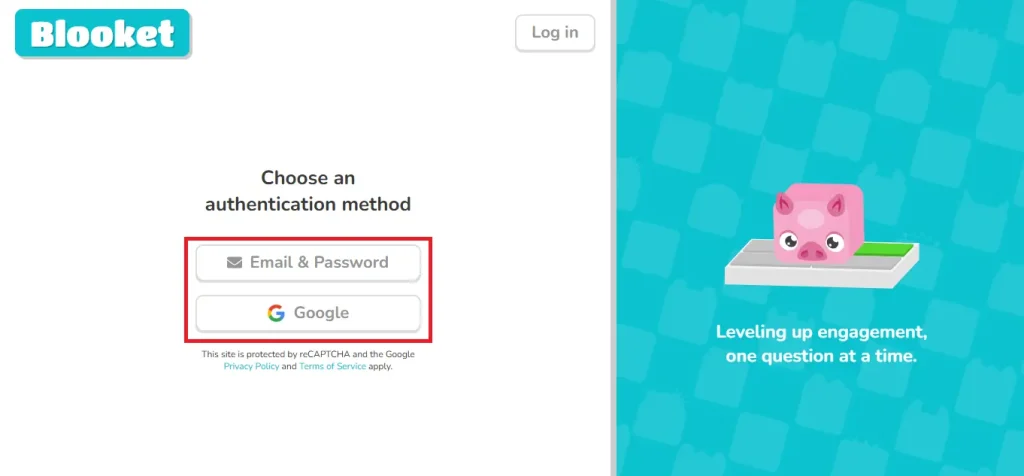
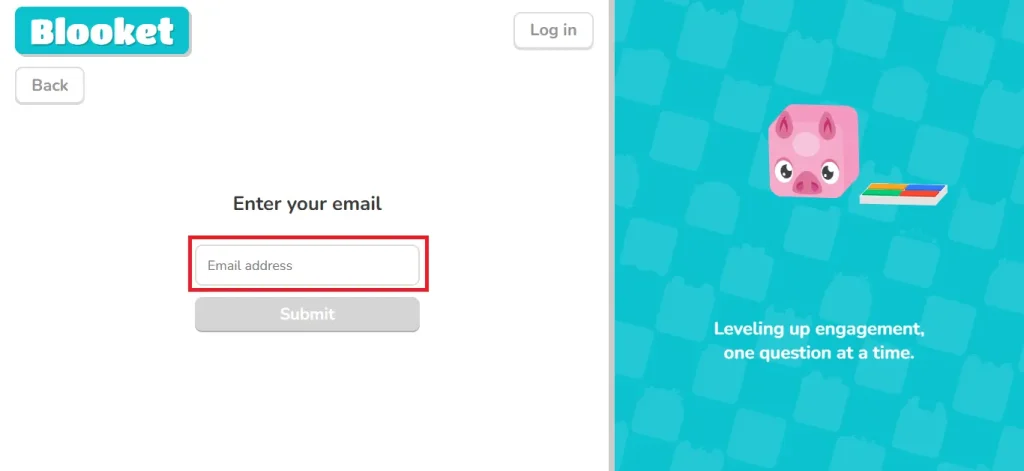
Step 5: Enter your Email
Put your email address you want to connect with blooket and click on Sumbit button.
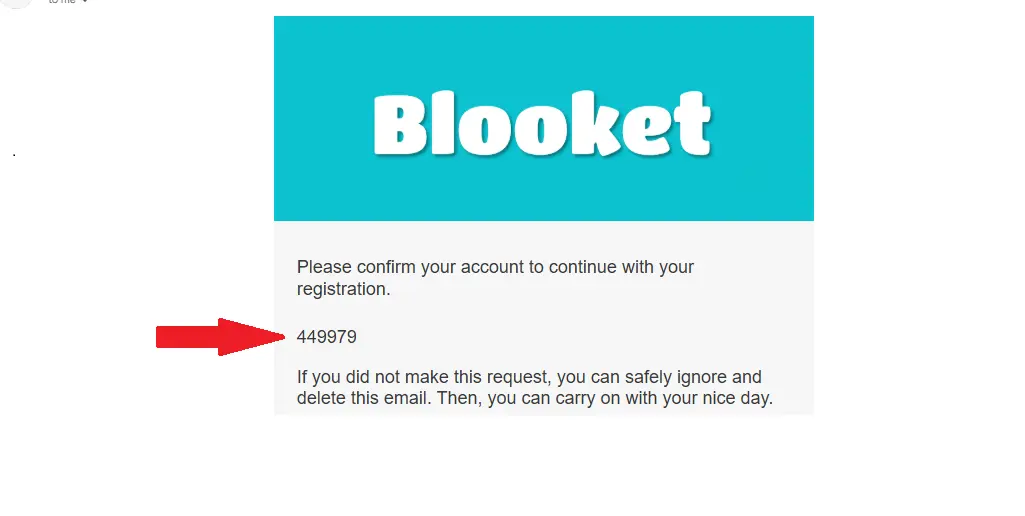
Step 6: Six-Digit Code
Blooket will send you a six-digit code to verify your email address.
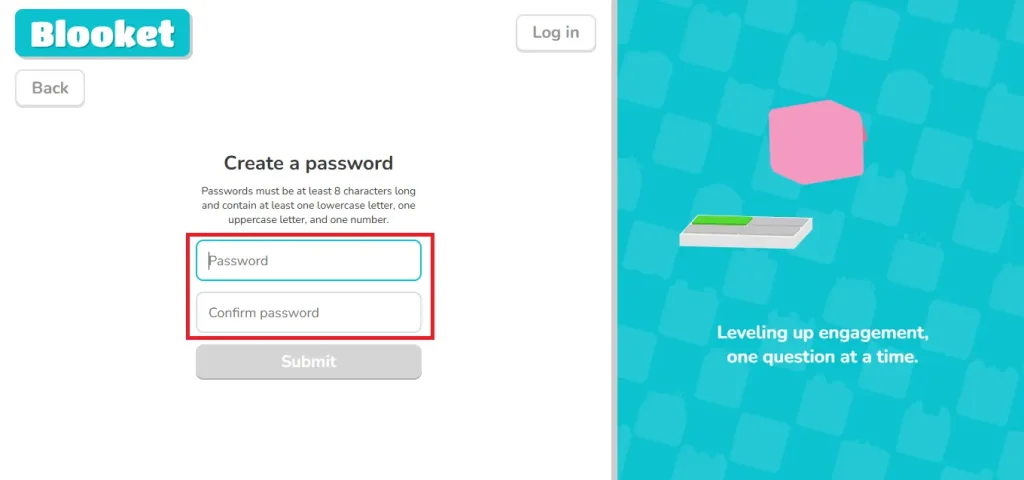
Step 7: Choose a Strong Password
Once you confirm your email by adding the verification code. Blooket will allow you to set your own strong password.
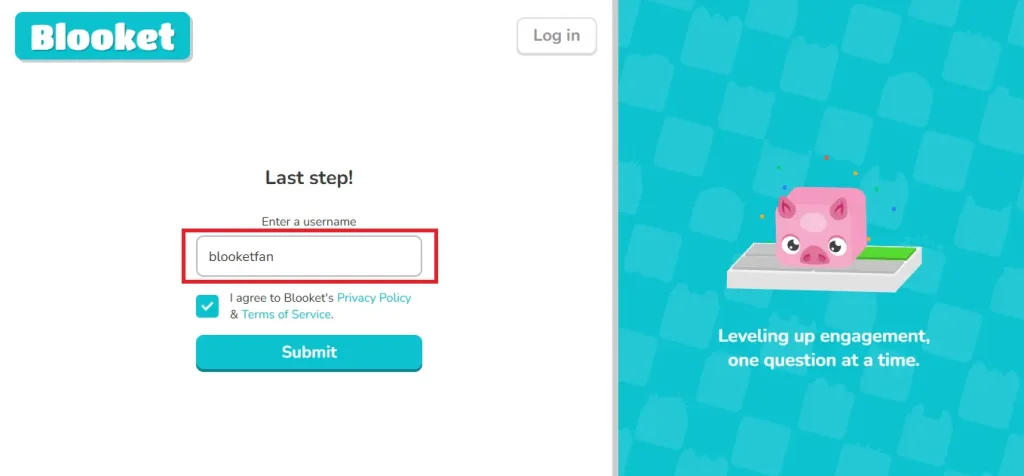
Step 8: Decide Username for Blooket Sign up
Choose a unique username for blooket account and click on Submit. Once your username is done, you will be redirected to your user friendly blooket dashboard, where you can choose to host or play your favorite game modes.
Blooket Signup Options Explained
Blooket always offers a flexible way for users for creating account to avoid any technical problems and makes it look easy for new users. Whether you want a quick login into blooket or a traditional email setup, Blooket made the registration process simple for both students and teachers.
Blooket Sign Up with Google
Using Google to sign up on blooket is a fast way to create an account on Blooket. With this option, you don’t have to set a separate password or verify your email manually. What you do is choose google account method to sign up and give the necessary permissions, and you will be logged in instantly. This method is good to do in school, and you’re using Google workspace or if you don’t want to remember Blooket password.
Sign Up with Email
This way of signing up is all about doing everything manually. With this method, you can add more details and set up more nicely. When you sign up using the email method, you can create your own password with an email code verification process. This option is useful if google method is not working or if you do not want to use any third-party link account.
Student vs Teacher Signup
To avoid confusion, Blooket always asks users to confirm their account type, whether they want to use Blooket as a tutor or as a student. Teachers’ accounts are mostly dedicated to creating quizzes and hosting sessions, managing question sets and keeping the track record of all students, while the students’ accounts offer fun features like playing games wining digital reward and buying blooks from Blooket market. Still incase you chose the wrong account type, you can switch your account easily.
How to Switch Your Blooket Account Type
Blooket know mistakes can happen any time, or a student can act as a teacher. You might sign up as a teacher by mistake and want to change your role, or start as a student and now want to host live sessions with your peers. No worry, we will guide to how to easily switch your account type without any hassle
Steps to Switch Between Student and Teacher Layout
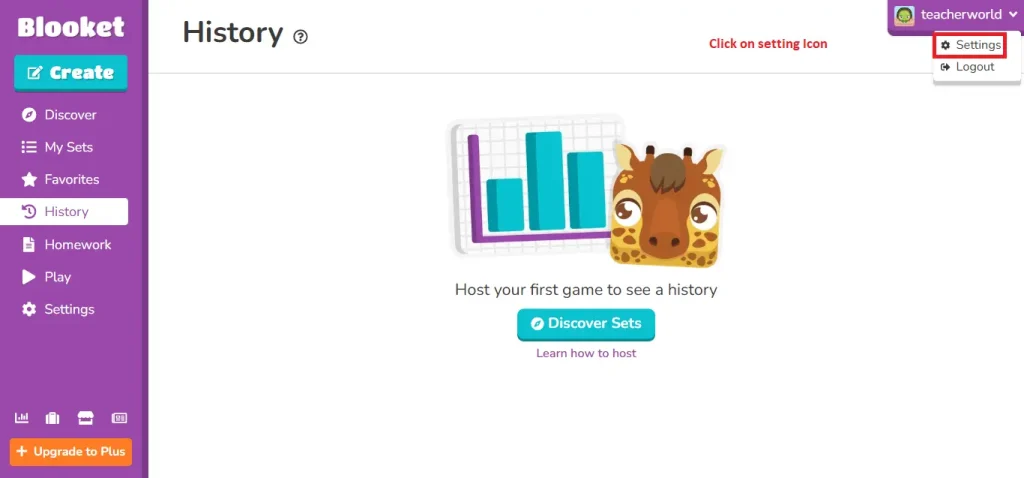
First, make sure to be logged in to the Blooket account. Click on your username or profile icon on the top right of the screen and select the settings option.
On the settings page, you’ll see options to edit info. Choose either “Switch to Teacher Layout” or “Switch to Student Layout,” depending on your needs. Once selected, your dashboard will update instantly, and the features will adjust according to the chosen role.
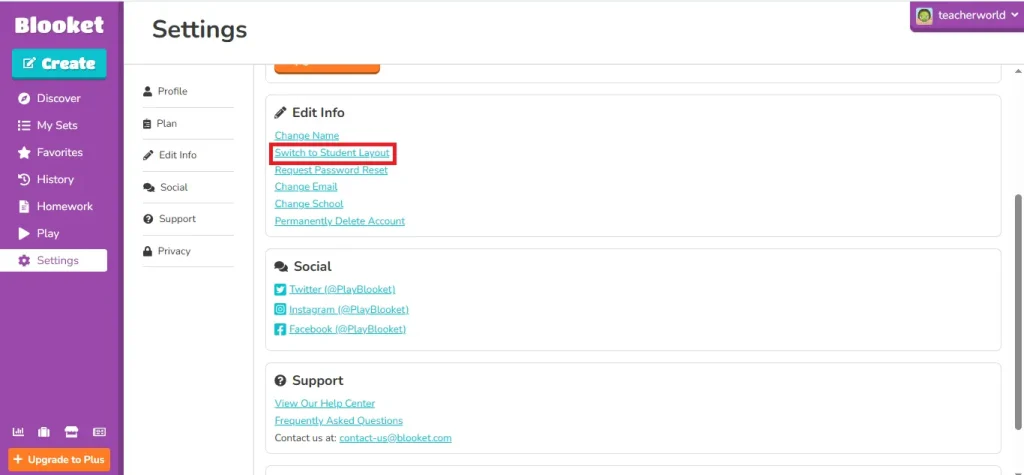
Blooket also allows you to change your name, school, and reset your password, making it a flexible and user-driven online education platform.
Age Rules & Account Requirements on Blooket
It is important to keep children’s privacy safe and secure. Blooket also follows these rules and guidelines for online privacy. Which means users must meet the specific age criteria before doing blooket Signup.
If you live in the United States, you must be 13 years old to create your own Blooket account. In case you are participating outside the US, you must be 16 years old. Blooket apply these rules to comply with COPPA (Children’s Online Privacy Protection Act) and other international privacy laws.
Now, what should you do if your child is below 13 years. You should use the parent or guardian details to use the Blooket account or join Blooket with QR Code or live link, so you don’t have to create any account. This flexibility is only for learners; teachers still need to sign up to host games and manage classes. It is recommended to follow the policy made my blooket to keep you and your children secure in this tech world.
Common Blooket Sign Up Problems & Fixes
Blooket signup is an easy task to do, but sometimes small technical issues can be expected, especially for new students or those using the school network. These issues can be fixed easily without contacting support. Below, we already identified and given guidance to solve these issues on your own.
Blooket Sign Up Not Working
Sometimes the sign-up page doesn’t load, freezes, or the button doesn’t work properly. This issue can be solved by fixing your internet connection, disabling the extension, such as ad blockers, or switching to another brower such as Chrome or Firefox. Sometimes heavy traffic from Blooket made it laggy and caused temporary delays. It is recommended to join again after a few minutes.
Wrong Credentials:
Putting the wrong email or using the incorrect password is the most common issue on Blooket. Students always forget their passwords while signing in. Blooket allows you to reset your password and even change your old email.
Email Verification Issues
Blooket send code to verify your email address. Sometimes users never get that code, especially on school email addresses.
Now be patient if you didnt revieve and check your spam folders. If you still didn’t get the code, use the Google Account method to log in to the Blooket.
School Network or Access Restrictions
This issue happens because your school uses firewalls to block visiting different sites. Use your mobile data to join the game or request access to play Blooket. It’s better to contact your school’s IT administration to unblock Blooket. Once they allow you to access, this issue will never show up.
When the issue is other than that or not fixed using these tips, you should directly contact the blooket support.
Conclusion
At last Creating an account on Blooket is simple, whether you want to create using Google or the email method. Users with blooket account can enjoy more with unique features and proper support from Blooket.
For teachers, Blooket sign up is a must to start teaching live lessons while engaging students with fun learning game modes. Teachers can also monitor and save their class performance, and can give homework for weekly subjects.
While students feel this place is more like a game ground. They can play their choice of game mode and win reward points that can be claimed to buy blooks from the Market. That way, students feel more motivated by earning a reward after every correct answer.